Wayther
Weather for the whole journey, timed to when you will be there.
Wayther is coming soon
Leave your email and we will tell you when it is available.
What it does
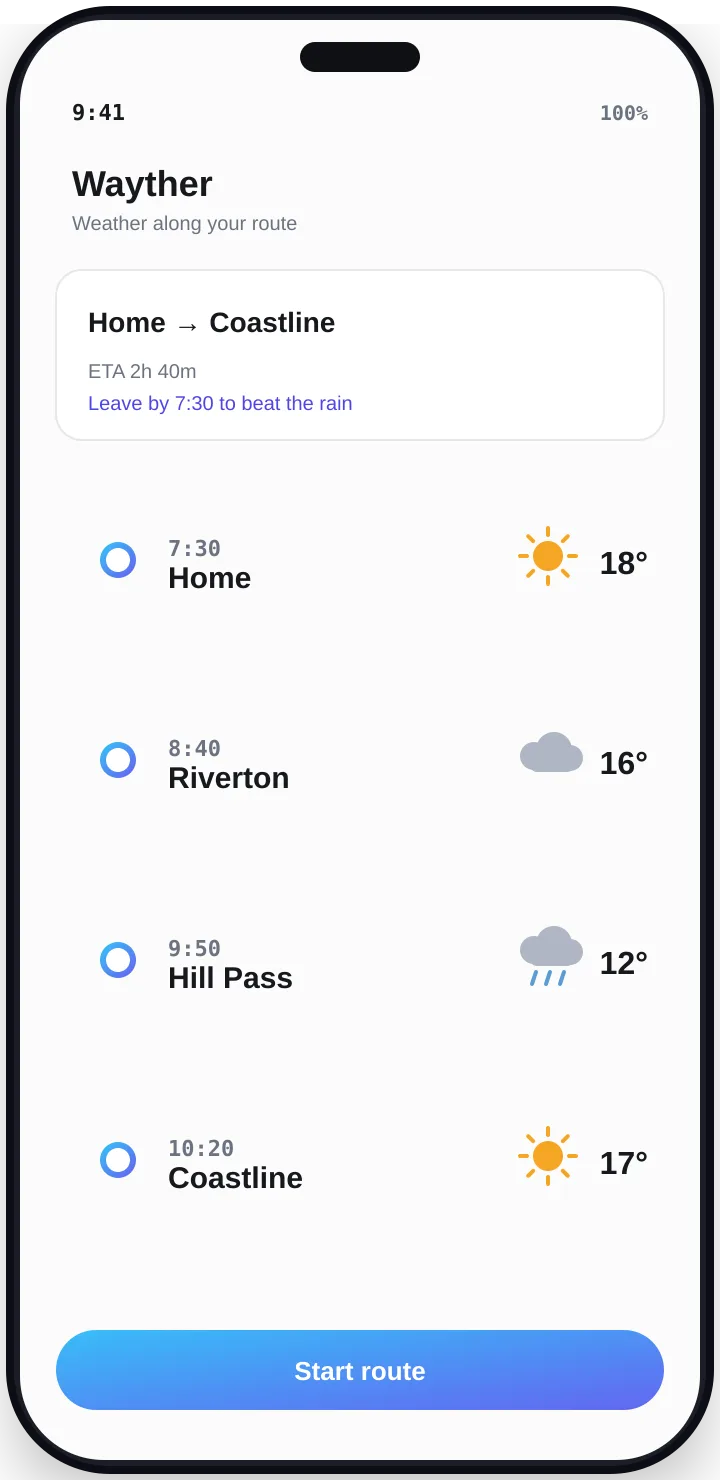
Wayther turns a forecast into a route. Enter where you are starting and where you are going, and Wayther shows your journey with the weather you will hit at each stage, timed to when you will actually be there. No more surprises halfway through a trip.
Weather along the route
See the forecast at each stage of your trip, for the time you will reach it rather than the time you leave.
Arrival time
Enter a start and a destination and get a route with an estimated arrival time.
Stops along the way
Get suggestions for fuel, food and rest breaks on the way.
Plan around the weather
Spot rain, snow or heat before you set off, and save the trips you take often.
Your privacy
- You sign in with Google or a phone number (we text you a one-time code), so your saved trips are tied to you. We keep your Google email or phone number to run your account.
- The start and end of a route are shared with weather and maps providers so they can work out your forecast and arrival time.
- Wayther uses your location only when you choose to use it as a starting point. It never tracks you in the background.
- We do not use your trips for advertising, and we never sell your data.
- You can delete your account and saved trips at any time.
The full details are in the privacy policy. To remove your data, see data deletion.
Questions
- Does Wayther track me while I drive?
- No. Wayther uses your location only when you choose to use it as a starting point. It does not track you or run in the background.
- Why do I need to sign in?
- So your saved trips are kept for you and available when you come back. You can sign in with Google or a phone number.
- Who sees my route?
- The start and end points and timing are sent to the weather and maps services that calculate your forecast and arrival time. We do not use your trips for advertising.
- How do I delete my account?
- You can delete your account and saved trips from the app, or use the data deletion page on our main site.
Need help?
Read the support page or email tech.314stack@gmail.com.