Cadence
A focus timer and habit tracker that shows where your time actually goes.
Cadence is coming soon
Leave your email and we will tell you when it is available.
What it does
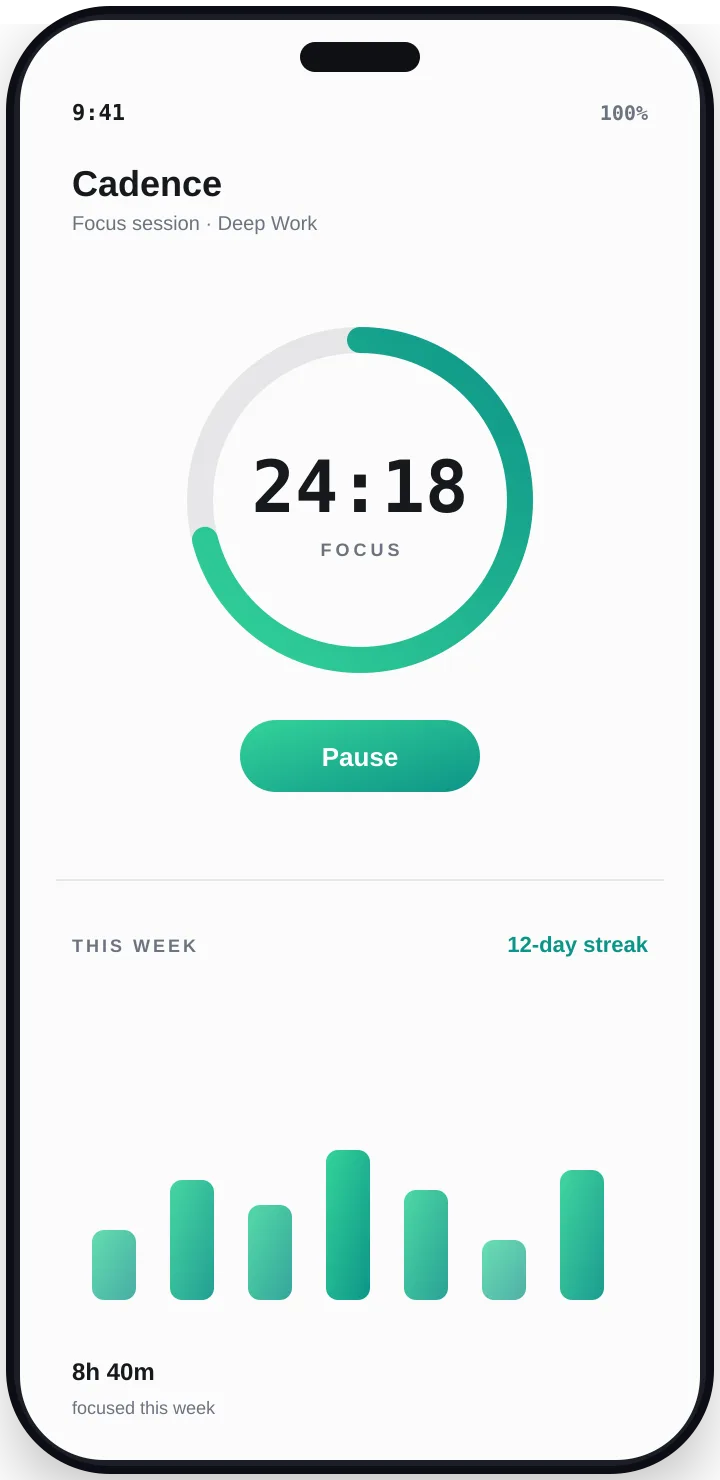
Cadence is a focus timer and habit tracker in one. Tag each focus session with what you were working on, and at the end of the week you can see exactly where your time went. Only sessions you finish count, so your totals are honest.
Know where your time goes
Tag every session with a category such as Reading or Homework, or make your own, and see your time split by category.
Honest numbers
Only focus sessions you complete count toward your totals, goals and streaks.
Habits that forgive
Each month you get a few streak freezes that quietly cover a day you missed, so one off day does not undo your progress.
Recaps and history
A short recap each day, plus history by day, week and month, with simple charts and your personal bests.
Your privacy
- No account and no sign-in. Your focus sessions, habits and goals stay on your phone and are never uploaded.
- The free version shows ads from Google, which use your phone's advertising ID (a number your phone uses to show ads). Cadence Plus removes the ads, and Google Play tells the app whether you bought it.
- Anonymous crash reports and usage statistics are off unless you switch them on in Settings.
- If you send us feedback from the app, we keep it, along with your email if you include one. You can ask us to delete it.
- Cadence asks to show notifications for focus and break alerts. It does not ask for your location or contacts.
- We never sell your data.
The full details are in the privacy policy. To remove your data, see data deletion.
Questions
- Do I need an account?
- No. Cadence works fully offline with no sign-in.
- Will I lose my data if I change phones?
- Your data lives only on your phone and there is no cloud backup, so a new phone starts fresh.
- What does Cadence Plus do?
- It removes the ads from the free version. You buy it through Google Play, and the app does not need a login to unlock it.
- How do I delete my data?
- Uninstall the app or clear its data and it is gone, since nothing is kept on a server. If you sent us feedback with your email and want it deleted, use the data deletion page or email us.
Need help?
Read the support page or email tech.314stack@gmail.com.